# How to use Git? (101) 🤔
You clicked on this for a reason! It is to learn the basics of Git. Let's start with the basics.

[gif source](https://giphy.com/gifs/thumbs-up-zach-galifianakis-the-hangover-Ph05xuYgrX5te)
### Name Origin
Or as scientists like to call it "nomenclature" 😎.
Git was created by Linus Torvalds in 2005 for the development of the Linux kernel, with other kernel developers contributing to its initial development. Its current maintainer since 2005 is Junio Hamano.
The name "git" was given by Linus Torvalds when he wrote the very first version. He described the tool as "the stupid content tracker" and the name as (depending on your way):

A random three-letter combination that is pronounceable, and not actually used by any common UNIX command. The fact that it is a mispronunciation of "get" may or may not be relevant.
### How to install it?
You need to download it, depends on your system:
- If you are a Windows user:
1. Visit the official website: [https://git-scm.com/](https://git-scm.com/)
2. Download the latest version presented to you, at the time of the blog post it is "2.30.2"
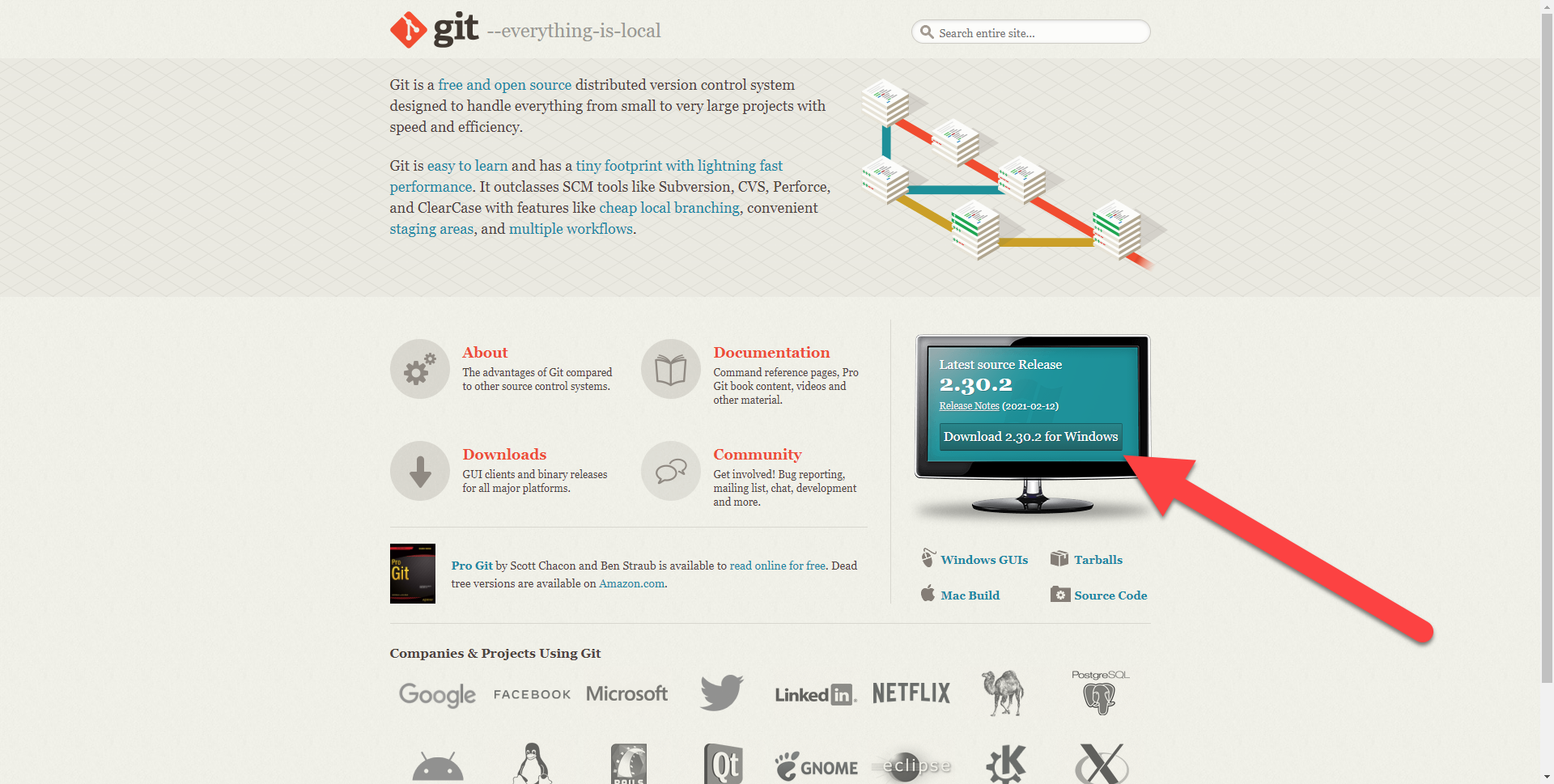
3. Run through the installer with default settings, unless you know what you are doing!
- If you are a macOS user:
1. Install Homebrew: `/bin/bash -c "$(curl -fsSL https://raw.githubusercontent.com/Homebrew/install/HEAD/install.sh)"` or visit the official website for more up to date docs [https://brew.sh/](https://brew.sh/)
2. Install `git` using `brew install git`
- If you are a Linux user:
1. Use your package manager to install `git`, for Debian-based distros use `sudo apt install git`.
> See how steps get less as you move down the list 🤣🙈.
Now we are done with the installation, let's dive into Usage!
### Basics
To create a repository, run `git init` in an empty directory. This creates a hidden folder named `.git`. This is the repository. Now let's put some code to see how can we use it.
We will create a file named `index.html` and put some boilerplate HTML code inside of it. Here is the code:
```html
My Awesome Page
```
Now run `git add index.html` to add this file to staging where we can commit it.
Now to commit this code we run: `git commit -m "🔥 Create index.html"`
Let's dissect this command:
1. `git` this is us calling `git` tool
2. `commit` this is an option inside `git`
3. `-m "my_message"` this option allows us to explain what we did in this commit, basically explaining what we did.
> As you can see I love to use emojis 🚀🔥🙈🙏🤣😎🤔➕❌⬆🚧📚
Okay now to see the power of git, let's make some changes to `index.html`, here is the new code:
```html
My Awesome Page
Hello!
```
If you run `git status`, which is another useful command, you will see the output stating that some changes are not committed.
To solve that we first run: `git add index.html`,
Then run `git commit -m "➕ Add a cool h1 tag in the body"`
We now have basic knowledge of how git works and what does it do and also how to use it!
> Take a break and try to do it again alone to make sure you understood everything! 💡👍
### The End 🎈
In the next blog post, we will be seeing how to use git with hosted git providers like GitHub which allows you to take this a step further in the cloud ☁. Maybe to the moon, who knows! 🚀
If you have any questions don't hesitate to DM me on my Twitter, [@yazeedalkhalaf](https://twitter.com/YazeedAlKhalaf)